
The Complete Guide to PrintTraker for Sign Companies
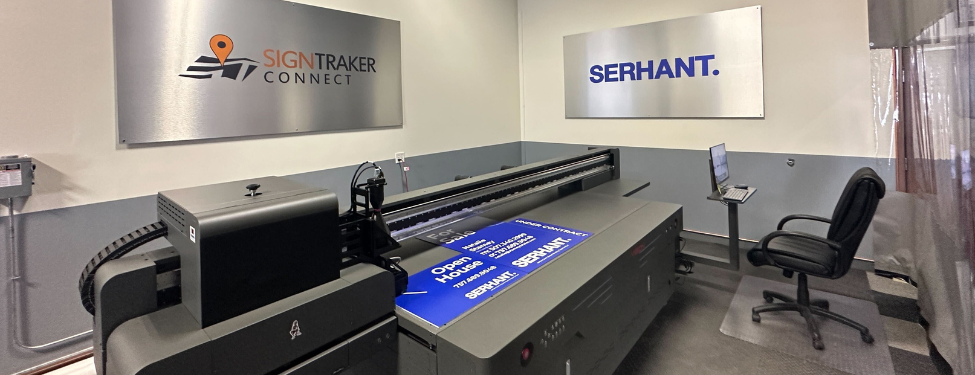
PrintTraker is SignTraker’s integrated web-to-print solution for companies that provide real estate sign printing alongside sign installation and related services. Instead of directing agents to a separate website or handling every request through email, a sign company can make printing available within its SignTraker customer portal. Agents can order replacement signs, request new designs, purchase signs individually while placing a service order, order from their inventory view, or submit larger orders from a dedicated portal page. PrintTraker supports standard customer riders, customizable sign templates, and uploaded designs, giving agents several practical ways to order while keeping the transaction connected to the sign company’s existing system. For companies already using SignTraker as their sign company software, this creates a direct connection between printing, ordering, billing, and sign inventory management.
How Agents Place Real Estate Sign Printing Orders
PrintTraker gives agents multiple ordering options based on the type of sign they need. An agent can select a standard rider offered by the sign company, customize an approved template with details such as a name, phone number, or image, or upload a new design for production. When a custom design is uploaded, PrintTraker can quote the order using pricing rules configured by the sign company. SignTraker’s printing tools also support template descriptions and pricing filters, custom fonts, combinations of standard and custom fonts, locked or padded text areas, and background images. Administrators can assign particular templates to specific agents or offices, which is useful when a brokerage has approved artwork or brand requirements. For production, the system can generate full-size, direct-to-print PDF and EPS files, helping move an approved order from the portal into a print-ready format.
Managing Pricing, Materials, and Print Jobs
The administrative side of PrintTraker allows a sign company to configure important details behind each order. Licensee administrators can manage print options such as materials, sizes, delivery choices, custom options, price breaks, and pricing breakpoints. This gives the company a structured way to present available products and calculate prices according to its own documented rules. Printing administrators can also remove or specify panels and riders on a print job, upload separate image components, cancel print jobs, and review print-job history. Support for infinite stock quantities is available when a printed product should not be limited by a fixed on-hand quantity. These controls can help owners and managers organize their real estate sign printing workflow, while employees have clearer information about the product, artwork, price, and order status they are handling.
Connecting Printing with Billing and Sign Inventory Management
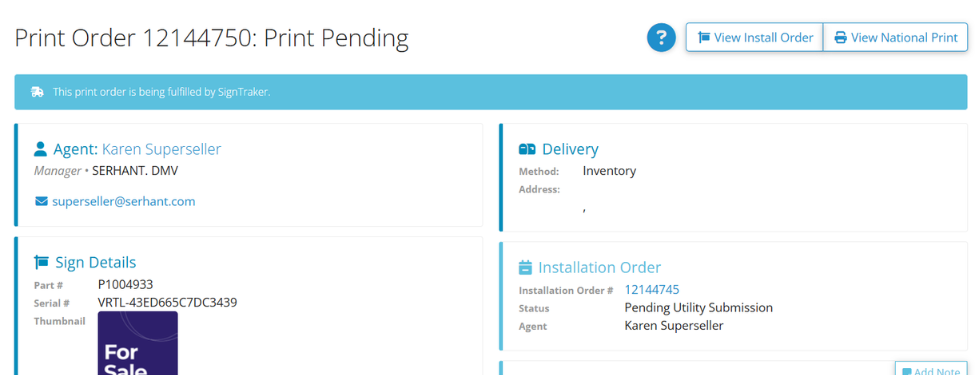
A major practical feature of PrintTraker is its connection to the rest of SignTraker. Official SignTraker materials state that completed print orders can be inserted into an agent’s inventory view, and administrators can transition a printed sign into an explicit inventory item automatically. Print orders can also handle ownership changes and work with SignTraker billing workflows, including split billing between an agent and an office or corporate payer when that arrangement has been configured. This matters because the printing order does not have to remain separate from the operational record used to store, track, and later install the sign. SignTraker’s broader platform supports inventory assignment to people, teams, offices, and enterprises, so PrintTraker extends an existing sign inventory management process rather than creating a disconnected list of printed products.
Conclusion
PrintTraker is most relevant to a sign company that wants customers to order printing through the same SignTraker environment used for other sign services. Its documented capabilities cover standard and customized templates, uploaded artwork, rule-based quoting, production files, configurable print options, job tracking, billing integration, and the conversion of printed signs into inventory records. Before enabling it, a company should decide which products it will offer, prepare approved templates, establish materials and sizes, document its pricing rules and price breaks, determine delivery options, and define who will manage print jobs and inventory. That preparation helps ensure the customer-facing catalog matches the company’s actual production process. Used this way, PrintTraker brings real estate sign printing and sign inventory management into SignTraker without requiring an unrelated ordering workflow, giving owners, managers, employees, and agents one connected place to manage the documented stages of a print order.
For additional information on SignTraker’s real estate sign tracking and real estate sign installation software, or how to join SignTraker’s network of professional sign installers throughout the United States and Canada, contact Douglas Deist, Vice President, Marketing and Technology, at 443-938-9178 Ext 2.
SignTraker Technologies LLC is a privately held sign installation service software provider located in Gaithersburg, MD. The company supplies cloud-based mobile software, consulting, and durable products to companies and real estate firms interested in providing a superior ordering and sign marketing experience for their stakeholders. For additional information, contact sales@signtraker.com.
Have questions on SignTraker’s capabilities?
Have a question? Call us at 443-938-9178
Comments on this post? Email us at blog@signtraker.com
Follow SignTraker on Twitter at @SignTrakerTech and Facebook @SignTrakerGroup
Related Posts:

PrintTraker 2.0 Is Here: A Smarter, Simpler Way to Manage Print
Should You Add Open House Services? Here’s How SignTraker Makes It Easy
SignTraker Features You Might Not Be Using—But Should