Introducing the New PrintTraker Cart Features: A Faster, Smarter Ordering Experience
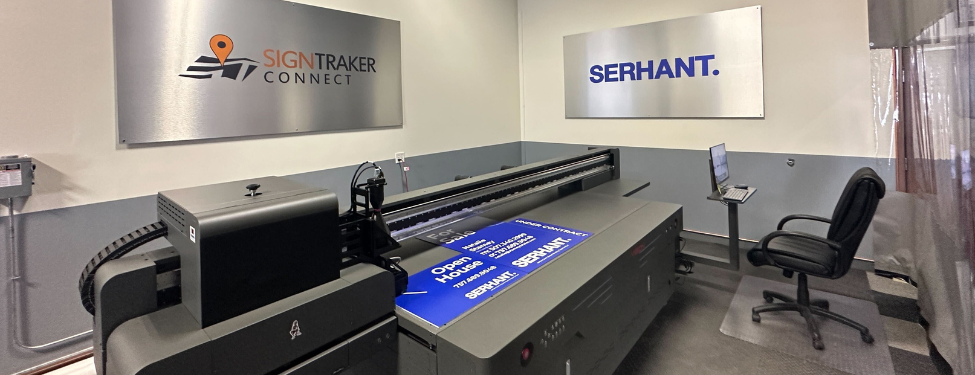
Ordering real estate signs should be straightforward, whether you need a full panel or a small rider. The new PrintTraker cart features make it easier to find, customize, and order the right product within SignTraker. Because PrintTraker connects with the same sign company software used for ordering, billing, and sign inventory management, customers can manage more of the printing process without moving to a separate system. PrintTraker supports standard riders, customizable templates, uploaded designs, replacement signs, and larger print orders.
Add Multiple Designs to One Cart
Customers can now continue shopping after selecting a design, making it easy to add different panels, riders, templates, and uploaded artwork to the same PrintTraker cart. Eligible items can then be grouped into a single delivery, which may reduce delivery fees compared with placing separate orders. We have also made it easier to filter panels from riders, so users can quickly browse the correct product category. Each template is displayed clearly, and agents can choose an approved design or upload their own artwork for real estate sign printing.
See the Proof as You Enter Your Details
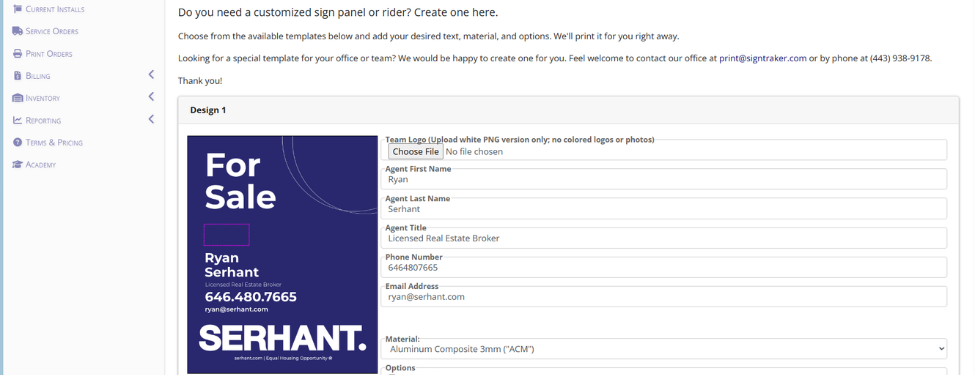
After choosing a template, users can enter the information allowed by that design, such as a name, phone number, or other personalized details. The proof is shown as the information is entered, giving the customer an opportunity to check names, numbers, spelling, and layout before adding the design to the cart. Once one design is ready, the customer can add it to the cart and continue shopping for additional designs. Users can also select from the available materials, sizes, quantities, product options, and delivery methods configured for their account.
How to Place an Order Step by Step
The ordering process is simple:
1. Click the ‘Order Sign Print’ link from the SignTraker customer portal.
2. Select the appropriate Market Area (If there are more than 1 installer servicing the area).
3. Filter the catalog to view panels or riders.
3. Select a product and review its template design.
4. Enter the requested information and check the proof as it updates.
5. Choose the quantity and any available product options.
6. Select a delivery method, such as delivery to your home or office or delivery to your installer when that option is available. For areas not covered by an installer, choose one of the available home or office delivery options.
7. Review the design, order details, delivery selection, and displayed charges before submitting the order.
Conclusion
With the new PrintTraker cart, customers can prepare multiple designs and submit them together as one organized order. This central cart is the key improvement: it reduces the need for separate orders and allows eligible items to be grouped for delivery, potentially lowering delivery fees. Print orders remain connected to our SignTraker billing and sign inventory management tools, helping owners, managers, and employees keep printing and inventory records organized. By bringing product selection, customization, delivery, and inventory into one connected workflow, we are making real estate sign printing easier to manage for both sign companies and their customers.With the new PrintTraker cart, customers can prepare multiple designs and submit them together as one organized order. This central cart is the key improvement: it reduces the need for separate orders and allows eligible items to be grouped for delivery, potentially lowering delivery fees.
For additional information on SignTraker’s real estate sign tracking and real estate sign installation software, or how to join SignTraker’s network of professional sign installers throughout the United States and Canada, contact 443-938-9178 Ext 2.
SignTraker Technologies LLC is a privately held sign installation service software provider located in Gaithersburg, MD. The company supplies cloud-based mobile software, consulting, and durable products to companies and real estate firms interested in providing a superior ordering and sign marketing experience for their stakeholders. For additional information, contact sales@signtraker.com.